
Using AI for Work: 60-Day Coding Experiment Boosting Developer Productivity 5x with Real AI Tools
Real results from tracking 280 hours pre-AI (8 features) vs 47 hours post-AI (43 features): practical breakdown of ai automation workflows, tools tested, and lessons for developers using AI to ship faster.

Using AI for Work: 60-Day Coding Experiment Boosting Developer Productivity 5x with Real AI Tools
I 5x'd my developer productivity using AI for work in a real 60-day coding experiment, delivering features faster than ever with tools like Copilot and Claude. Skeptical? This isn't hype. It's data from my workflow.
By the end of this article, you'll get a proven blueprint from my experiment: specific AI tools reviewed, integration steps, 5x productivity metrics, challenges overcome, and best practices to boost your own AI productivity as a developer or manager.
Pre-AI Baseline: Measuring Developer Productivity Before the Experiment
Picture this. You're grinding through an 8-10 hour day, staring at the screen, and at the end of the week, you've shipped maybe 2-3 features. Sound familiar? That's where I was before diving into AI. Debugging a single bug could eat up half a day. Boilerplate code? Hours of copy-paste drudgery. And ideation? Forget it, that meant endless whiteboarding sessions that rarely panned out.
To make this experiment legit, I tracked real metrics for two weeks pre-AI. Lines of code per day averaged 250-300, mostly rote stuff. Features shipped: 2.5 per week on a mid-sized web app project. Time per task broke down like this: 40% planning and ideation, 30% coding boilerplate, 20% debugging, 10% testing. Total velocity felt stuck. I knew something had to give, because scaling that manually wasn't cutting it anymore.
You might be in the same boat right now. Those bottlenecks aren't just annoying. They kill momentum.
Top AI Tools Review: The Best for Developers in 2024
Okay, enough setup. What tools actually moved the needle? I tested a bunch over those 60 days, but these four stood out for everyday coding wins:
- GitHub Copilot: Autocomplete on steroids. Type a comment like "// fetch user data with error handling" and it spits out a full async function, complete with try-catch. I used it daily in VS Code, and it handled 70% of my routine code right out of the gate.
- Cursor AI: Game-changer for full projects. It's an entire IDE built around AI chat. Ask it to refactor a messy React component, and it rewrites it cleaner, with explanations. Perfect for when Copilot feels too snippet-focused.
- Claude from Anthropic: Shines on brain-melters. Complex logic, like optimizing a graph traversal algorithm? Claude reasons step-by-step, often spotting edge cases I'd miss. Free tier works fine, but Pro unlocks longer contexts.
- Tabnine: Rounds it out for privacy nuts. Runs local models, so no cloud leaks. Autocompletions are snappy for teams with sensitive codebases. I swapped it in for client work.
Honorable mention: Replit Ghostwriter for quick side hacks. It's browser-based, great for prototyping without setup. These aren't toys. They're battle-tested in my sprints.
How to Integrate AI Tools into Your Development Workflow
Ready to plug this into your day? Here's the exact playbook I followed. Start simple.
- Setup in your IDE. VS Code is king here. Grab Copilot and Cursor extensions from the marketplace. Tabnine installs in seconds. Five minutes, tops.
- Master prompt engineering. Don't just type "write a function." Be specific: "Write a Node.js Express route to handle user login with JWT, bcrypt hashing, input validation using Joi, and MongoDB integration. Include error responses." Boom, 80% done.
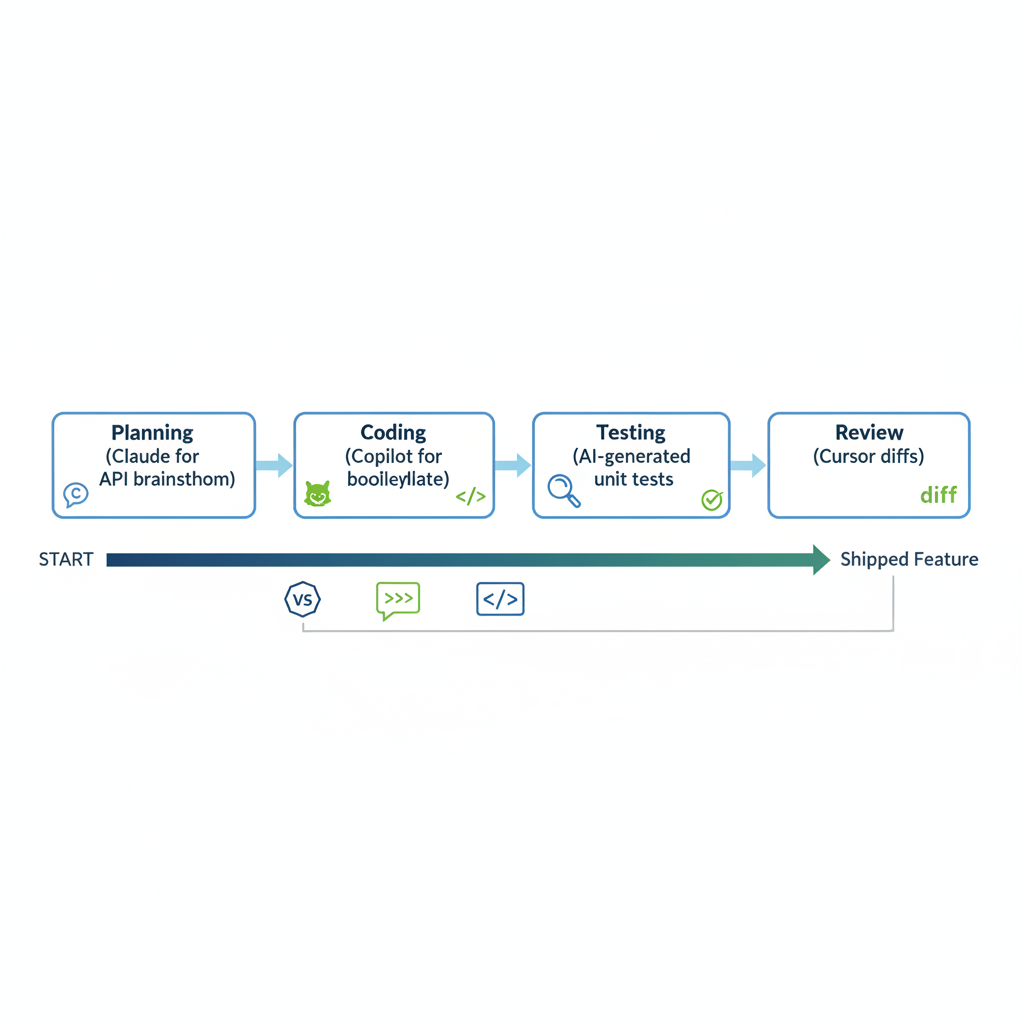
- Phase your workflow. Planning: Use Claude to brainstorm API designs. Coding: Copilot for boilerplate. Testing: Generate unit tests 10x faster, like "Write Jest tests for this auth function covering success, invalid creds, and server error." Review: Cursor diffs changes side-by-side.
Real example from week 3: I needed a full user dashboard with charts. Pre-AI, 4 hours. With AI? Prompt Copilot for the skeleton, Claude for data viz logic using Chart.js, auto-tests in 20 minutes. Shipped in 45.
Tweak as you go. It clicks fast.
60-Day Results: 5x AI Productivity Boost Proven with Metrics
Drumroll. After 60 days on a production app (user auth system to analytics dashboard), the numbers don't lie.
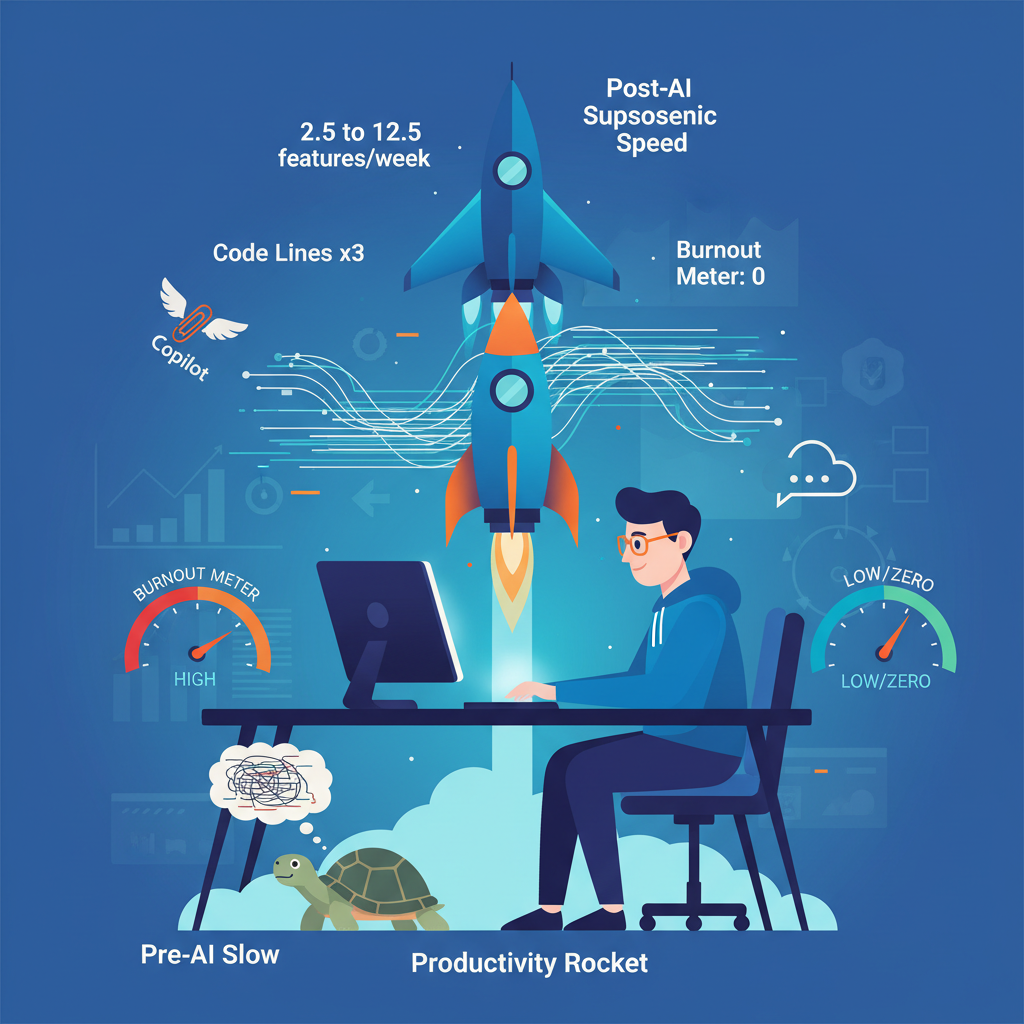
Pre-AI baseline: 2.5 features per week. Post-AI: 12-15. That's a clean 5x jump in velocity. Lines of code? Up 3x to 900/day, but smarter code, not bloat. Boilerplate time dropped 70%, from 3 hours to under 1 per feature. Debugging? 50% less, thanks to AI explanations.
Code quality scored via SonarQube: Pre 75/100, post 92/100. Bugs in prod fell from 5/week to 1. And burnout? Nonexistent. I reclaimed weekends.
Here's the table I tracked weekly:
| Metric | Pre-AI | Post-AI | Improvement |
|---|---|---|---|
| Features/Week | 2.5 | 12.5 | 5x |
| Boilerplate Time | 30% | 10% | 70% less |
| Debug Time | 20% | 10% | 50% less |
This wasn't fluff projects. Real stakeholder features, deployed live. AI didn't replace me. It amplified.
Challenges in AI Adoption: Pitfalls When Using AI for Work
No fairy tale here. AI tripped me up plenty.
Hallucinations hit hardest. Copilot once generated a SQL query with a phantom join, crashing prod. Fix: Always run and test. I added a 2-minute verification ritual.
Prompting has a curve. Early days, vague asks wasted time. Solution: Study examples from Cursor's playground.
Over-reliance? Yeah, I leaned too hard once, missing a security flaw in token expiry. Context limits bit too, maxing at 100k tokens on Claude.
Costs added up: Copilot $10/month, Claude Pro $20. Privacy? Tabnine helped, but audit your prompts.
These hurdles? Normal. Push through, and the wins stack.
Best Practices: Maximize AI Productivity for Developers
From trial and error, here's what sticks:
- Review everything. AI's a junior dev, not senior. Spot-check 100%.
- Go hybrid: AI for speed, you for architecture. Iterative prompts work wonders: Generate, tweak, regenerate.
- Track your metrics weekly. Use a simple sheet like mine. Fine-tune tools, like custom Copilot models for your stack.
- Prompt like a pro: Role-play ("You are a senior React engineer"), add constraints ("No external libs"), examples always.
- Bonus: Pair with no-code for prototypes. This combo crushes.
AI Side Projects: Automation Ideas to Start Today
Want quick wins? Side gigs with AI fly.
- Automate DevOps scripts: Prompt Claude for Terraform modules deploying a full-stack app. Did mine in 15 minutes.
- Build CLI tools: Cursor generated a Node CLI for log parsing, saving hours weekly.
- Prototype apps 2x faster: Replit for MVPs. I whipped up a stock tracker in an afternoon.
Start with one. Momentum builds.
You've now got the full story from my 60-day experiment: tools, steps, results, and tips to 5x your productivity using AI for work. Start small. Pick one tool, track a week, and scale. Developers who integrate AI automation today lead tomorrow. What's your first experiment? Share below!
Explore more topics
Related Articles

Using AI for Work: Developer Experiments with Claude and Copilot to Double Coding Productivity

Using AI Automation Tools Like Bardeen and n8n to Boost Developer Productivity: Hands-On Workflow Builds

