
AI for Developers: Prevent Bad Code Explosion with System Design Flattening Tricks

AI for Developers: Reclaim Control with System Design Flattening
AI for developers promises huge productivity jumps. But without system design flattening tricks, it explodes codebases with duplication and fragility. In this guide, grab back control over your AI automation before bad code swamps your projects.
You'll pick up practical techniques to dodge AI-generated code traps, amp up AI productivity, and weave in top AI tools while keeping software quality sharp. Perfect for devs who know their stuff but want to tame the AI chaos.
How AI Code Wrecks Software Quality
Jump into AI tools, and speed hits hard, but structure takes the blow. Plenty of teams now crank out most code with AI help. Problem is, that code brings bugs faster than human stuff. Maintenance slows, scalability tanks under sloppy architecture.
Trust? It's thin. Most developers peek at AI output but don't fully buy in. Many skip reviews before commit, letting flaws spread. Surveys point to security holes and design messes in a big chunk of AI code. And debugging? It eats more time than old-school code. Outputs ace quick tests but flop later from murky logic or upkeep nightmares.
Real talk: no fixes, and AI turns quick wins into long-haul headaches. Productive at first, liability later.
What the Heck Is System Design Flattening?
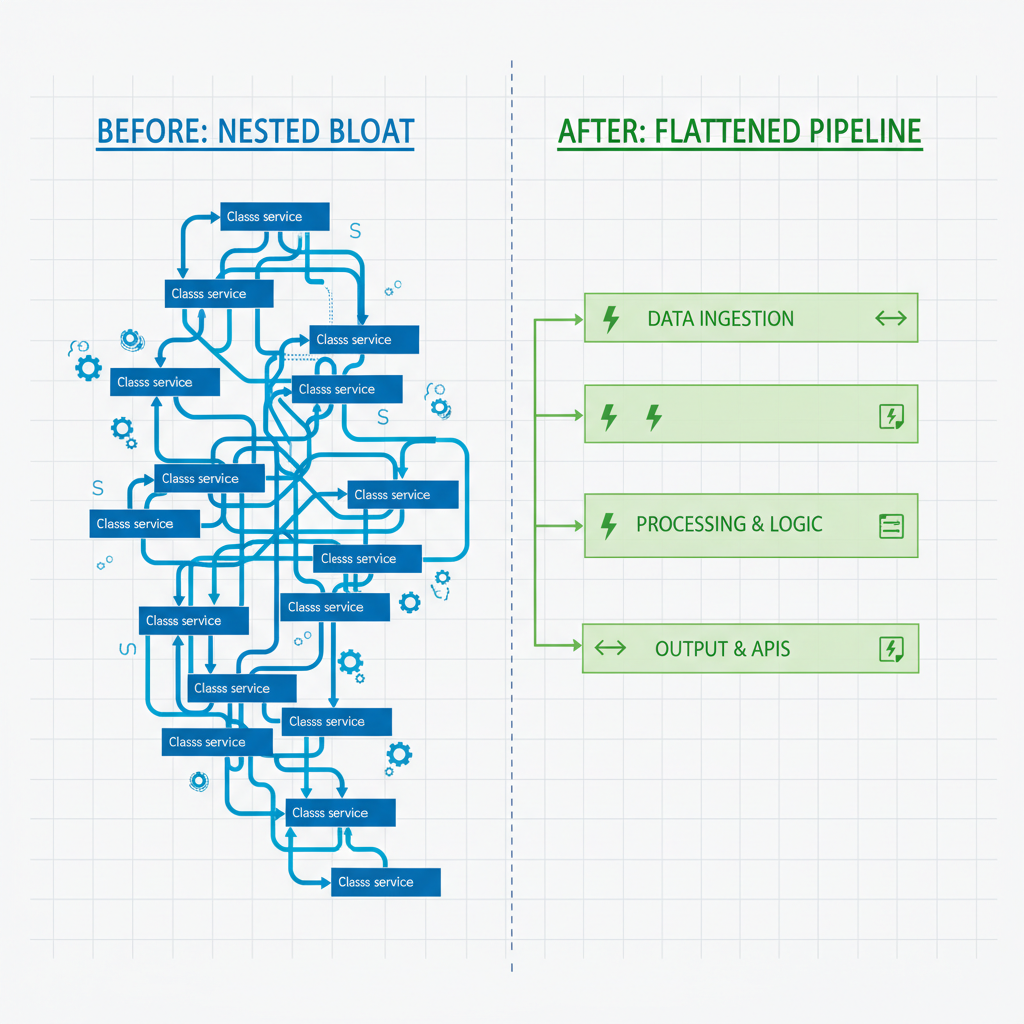
System design flattening cuts the fluff. It turns knotted hierarchies into slim, modular layers that scream clarity and reuse. Core idea: slash nesting, one job per piece, easy snap-together without tight ties.
Picture architectural minimalism. Ditch deep class nests or endless service chains. Build flat pipelines instead, inputs zip through skinny, laser-focused functions or interfaces. Wins pile on. Tests hit single spots. Refactors stay tight. AI slots in clean, no bloat.
It fights AI bloat head-on. Tools barf overbuilt giants; flattening forces discipline, quality holds as speed surges.
Why AI Productivity Tools Spawn Design Disasters
AI loves patterns, hates context. It spits redundant funcs, fat blocks, shaky links. No full project view means fake fixes that swell, services balloon with nested junk and copy-paste logic.
Fast uptake makes it worse. Coding tools boost output but sneak in flaws and gaps. Most devs won't merge without tweaks; tons rework "almost there" code. Looks good at first, crumbles under pressure, passes tests but piles debt.
Pattern's obvious: AI skips big-picture design for wordy overkill. Flattening fixes that.
5 Practical Flattening Tricks for AI Outputs
Turn AI slop into gold with these.
- Extract pure functions. Yank state and sides, shrink bloated beasts to concise utils. Test solo.
- Dependency injection everywhere. Link via interfaces, not hardwires, AI can't knot what it skips.
- Facades for clean APIs. Skinny wrappers hide mess behind one simple door.
- Linters guard layers. Rules like "no biz logic in controllers" stop nests cold at commit.
- Prompt loops for polish. Feed back: "Flatten to single-job funcs." Hit it twice.
Do this, AI goes from wrecker to wingman.
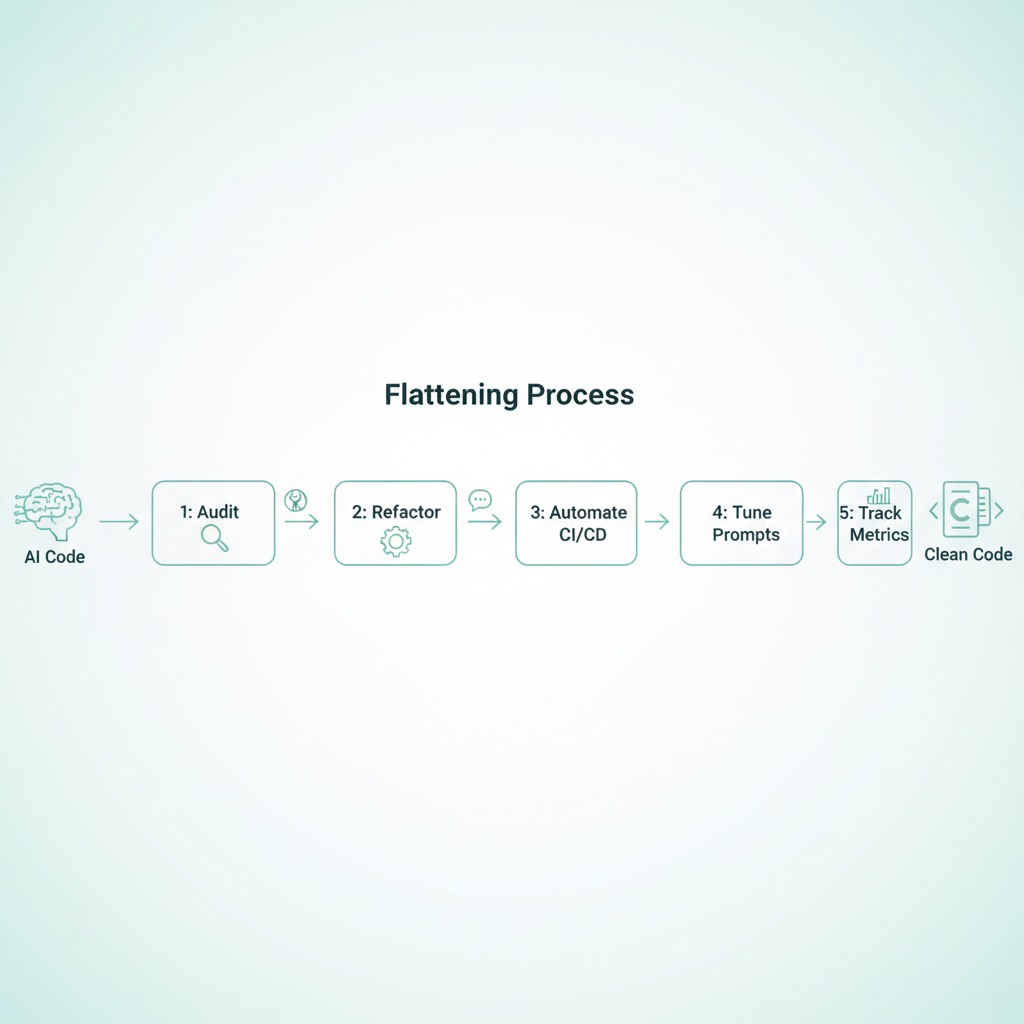
Step-by-Step: Flatten Your AI-Assisted Workflow
Start tiny, grow steady.
- Audit the mess. Static tools flag excessive nests or high coupling. Map your AI code's chaos.
- Refactor smart. Pure funcs first, deps next, facades last. Streamline code while preserving features.
- CI/CD lockdown. Lints and checks block unflattened merges.
- Prompt hacks. "Flat layers: data apart from logic, shallower nests."
- Track wins. Eye complexity, bug escapes. This can improve debugging, debt fades.
This flow flips traps to triumphs. Let's break it down more. For auditing, grab tools like Sonar or ESLint plugins, they spit metrics on nesting and coupling right away. Baseline before AI blitz, then compare post-flatten. You may see improvements.
Refactoring? Pure functions are your entry drug. Spot a fat method, peel out the math or transforms into standalone arrows or small funcs. No globals, no I/O. Boom, testable. Then inject: swap concrete classes for protocols or interfaces. In JS, it's simple objects; Python, ABCs. Facades wrap the rest, one public method calls the chain underneath.
CI/CD? GitHub Actions or Jenkins scripts run linters pre-merge. Fail on high McCabe scores or deep nests. Prompts evolve: start basic, add your stack's quirks, like "React hooks only, no class nests." Metrics? Tools like CodeClimate dashboard it. Aim to reduce debugging issues.
AI Tools Review: Best for Flattening and Automation
GitHub Copilot flies for speed. Tweak prompts for flatness, rapid iters shine, but review's key.
SonarQube teams with AI, flags smells early for flattening nudges.
Cursor AI rocks real-time refactors, stacks layers live.
Replit Ghostwriter meshes workflows, tops team automation.
AI even boosts reviews, spotting fixes sharper. Match to stack: Copilot for VS Code, Cursor for IDE makeovers. Dig deeper? Copilot's chat now iterates code live, paste slop, say "flatten this," watch it slim. Cursor's composer builds trees flat by design. Sonar integrates PR comments: "Nest too deep here, suggest facade." Ghostwriter? Seamless in Replit, auto-suggests pure splits. Test a few; pick what clicks for your flow.
Team Hacks for Lasting AI Automation
Teams win with rules: force AI reviews via flattening checklists. Human pass after AI? Cuts risks big time.
Scale microservices: flatten edges first, services as plug-in facades. Train on patterns, not wild prompts.
Build trust with numbers. Debt scares leaders; these moves craft solid stacks.
One more: pair programming with AI. One human, one bot, flattens on the fly, shares knowledge. Weekly retros on flattening wins keep it sharp. Result? AI productivity soars without the crash.
Grab these flattening tricks. AI for developers flips from bomb to booster. Dive in now, your codebases will thank you, ships fly faster, quality sticks.
Related Articles

Claude Cowork macOS Agent: 30-Day Building in Public AI Experiment Results
Real metrics from running Anthropic’s Claude Cowork daily on macOS for automating developer tasks and side hustle updates.

Using AI Automation to Cut 90% Repetitive Developer Tasks in 2026 Workflows
See how eliminating the first 90% of boring repetitive work with AI automation freed up hours daily for developers focused on high-value coding and side projects.

Building My First Multi-Agent System with Google’s 1-Hour Agentic Engineering Course
Step-by-step notes from following Google’s free agentic course to wire short-term memory, loops, and MCP-style agents for real automation tasks.