
NotebookLM Gem Setup for Instant Business Process Improvements and Prompts

NotebookLM Custom Assistant Setup for Instant Business Process Improvements and Prompts
Businesses keep looking for ways to cut down on repetitive work, and NotebookLM custom assistants offer one of the more grounded options out there. These specialized assistants stay tied to the documents you upload, so they skip the usual guessing game that comes with most AI chat tools.
What Makes NotebookLM Different from ChatGPT or Claude?
NotebookLM works from your sources only. Upload reports, client files, or process guides, and it answers based on exactly what you gave it. No pulling in random internet knowledge, no made-up details. It even points back to the exact spot in your files where it found the answer.
The big update is the million-token context window. That means you can drop in entire project folders or long reports without the AI losing track halfway through. Memory across sessions got better too, so you can pick up a conversation days later and it still knows the background. The Goals setting lets you shape how the assistant talks and what it focuses on, turning it into something closer to a team member than a generic chatbot.
How NotebookLM Custom Assistants Support AI Automation in Real Workflows
Once you build a custom assistant, it handles the same tasks over and over without needing fresh instructions each time. Think client onboarding checklists, pulling together weekly numbers, or turning meeting notes into action lists. Everything stays inside your own files, which keeps sensitive details from leaving the building.
This setup works especially well for using AI for work when the work involves lots of documents. You get consistent output because the assistant already knows your company’s style and past decisions. No more starting from scratch or explaining the same context every Monday.
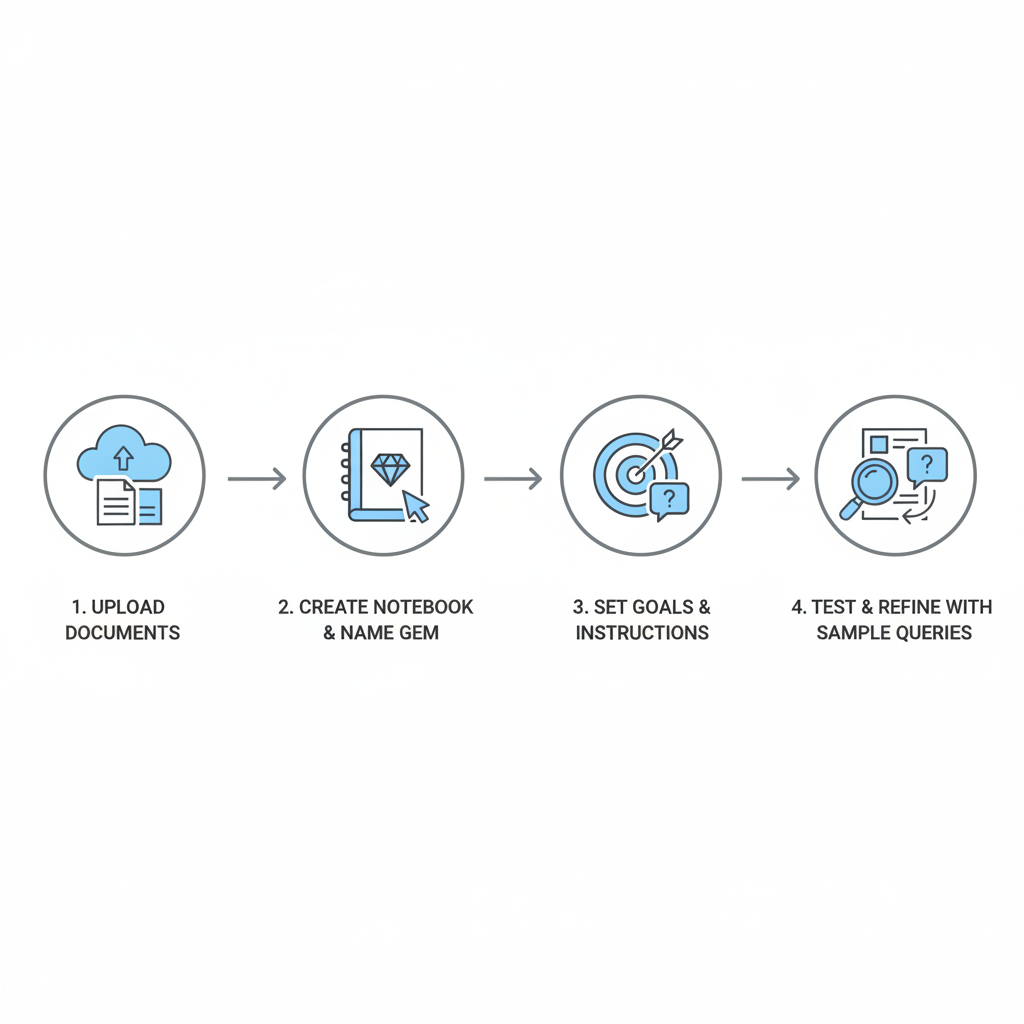
Step-by-Step NotebookLM Custom Assistant Setup for Your Business Needs
Start with the documents that actually matter for the process you want to improve. Old client folders, templates, and internal guides work best. Drop them into a new notebook and give the assistant a clear name that matches its job, like “Client Onboarding Specialist.”
Next, use the Goals section to set the tone and rules. Tell it whether you want short summaries or full reports, and what format you prefer. Then test it right away with questions you actually ask during the week. Adjust the instructions until the answers feel useful instead of generic.
Ready-to-Use Prompts That Turn NotebookLM Custom Assistants into Daily Productivity Tools
Good prompts keep three things clear: the task, which files to check, and how you want the answer formatted. Try this for sales reviews: “Look at the closed deals from the last quarter in these files and list the three most common objections plus what closed the deals that worked.”
For meetings, a simple one is: “Pull the action items and decisions from this transcript and turn them into a short follow-up email.” Competitive checks can ask the assistant to compare new notes against older ones and flag any pricing or strategy changes. The same structure works across teams, just swap the source files.
Real Examples of Using AI for Work with NotebookLM
Teams that have tried this report big drops in time spent on first drafts and research summaries. Consulting groups use it to pull together project histories without digging through old folders. E-commerce teams feed in supplier docs and get quick comparisons. Teams report substantial time savings on weekly planning tasks by keeping dedicated planning assistants updated with the latest numbers.
The pattern is the same: the more specific your sources, the better the assistant gets at handling the routine parts so you can focus on decisions.
Learn AI Practical Techniques to Keep Improving Your NotebookLM Custom Assistants
After you use an assistant for a week, look at where the answers still need tweaking and update the Goals instructions. You can chain assistants together too, sending research output from one straight into a reporting assistant. Keep a simple log of how long tasks took before and after, so you know which processes are worth building next.
Over time the combination of large context, better memory, and custom instructions adds up. Start with one process this week and build your first assistant. See how it changes the daily rhythm of the work you actually do.
Related Articles

Claude Cowork macOS Agent: 30-Day Building in Public AI Experiment Results
Real metrics from running Anthropic’s Claude Cowork daily on macOS for automating developer tasks and side hustle updates.

Using AI Automation to Cut 90% Repetitive Developer Tasks in 2026 Workflows
See how eliminating the first 90% of boring repetitive work with AI automation freed up hours daily for developers focused on high-value coding and side projects.

Building My First Multi-Agent System with Google’s 1-Hour Agentic Engineering Course
Step-by-step notes from following Google’s free agentic course to wire short-term memory, loops, and MCP-style agents for real automation tasks.