Turning a $599 Mac Mini into a Portable AI Workstation for On-the-Go Automation
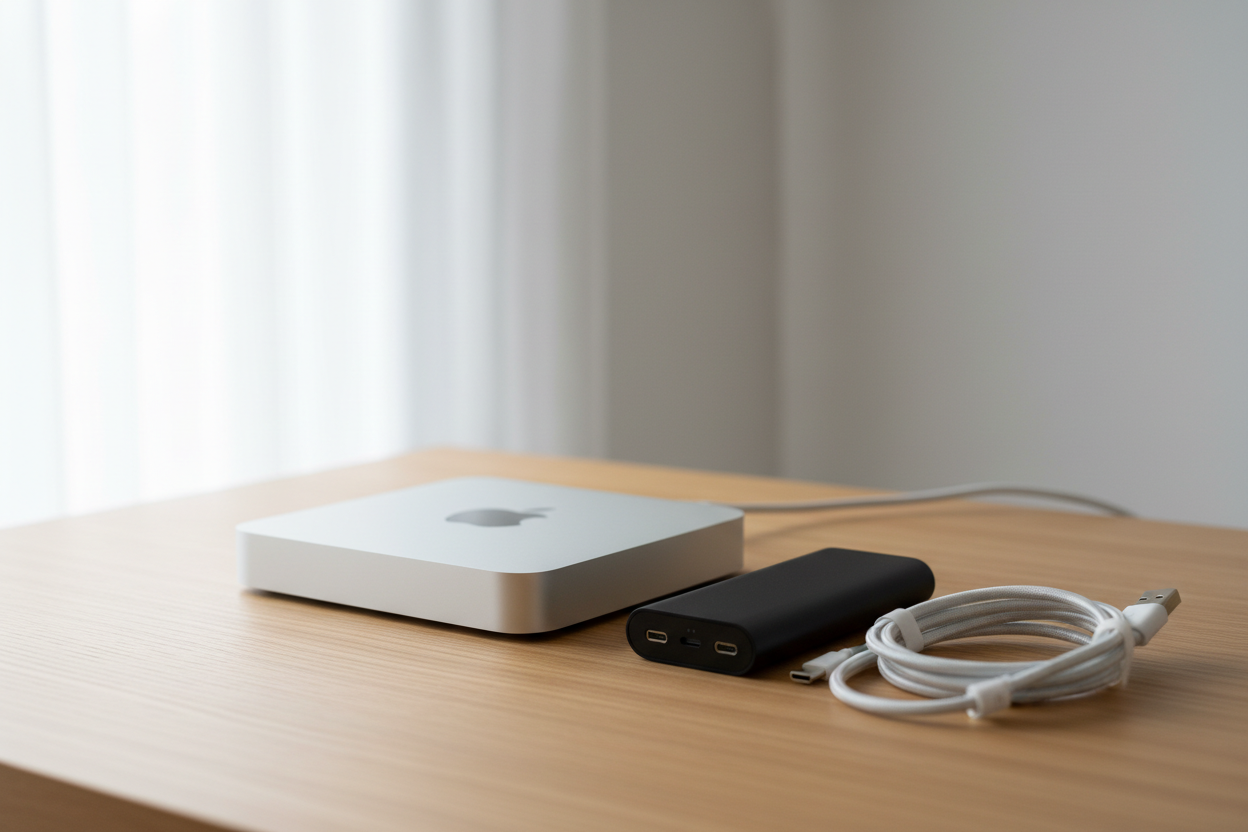
Turning a $799 Mac Mini into a Portable AI Workstation for On-the-Go Automation
A $799 Mac Mini M4 plus a decent battery pack gives you real AI automation power wherever you land. No cloud subscriptions, no lugging a thick laptop, just a compact box that runs local models in hotel rooms, job sites, or wherever the work shows up.
Why the Mac Mini M4 Handles Local AI Tasks Well
The base M4 chip packs a 10-core CPU, 10-core GPU, 16GB unified memory, and 512GB SSD. That setup runs models through Apple’s own ML tools without fighting separate graphics memory. Everything shares the same pool, so larger models stay responsive. People running 7B to 13B models on similar hardware report steady speeds once they hit 24GB total memory.
Idle draw sits around 5-7 watts, which keeps heat and fan noise low. Under load it climbs to 30-60 watts, still manageable for portable batteries. That efficiency is what makes the machine useful for actual ai automation instead of just light tasks.
How to Pick a Battery Pack That Lasts a Full Day
Look for something that pushes 100 watts through AC and carries at least 20,000 mAh. Those specs keep the Mac Mini fed during inference spikes without dropping voltage. The Mini itself is tiny, 2 inches tall and 5 inches square, weighing just 1.6 pounds. Add the battery and you’re still under 1.5 kg total, easy to toss in a bag.
Grab a short, thick USB-C cable rated for 100 watts and keep both pieces in a padded case so ports survive the bumps. Test the whole setup at home first so you know how long it actually runs when the model is working hard.
Getting Local Models Running on macOS
Download Ollama or LM Studio from their official sites. Both tools spot the Neural Engine and use MLX or Core ML automatically. Start with 7B or 13B models at 4-bit quantization. They fit the base 16GB and leave room when you upgrade to 24GB later.
Fire one up from the terminal with something like ollama run llama3.1:8b. It stays running in the background while you feed it prompts from scripts or your editor. No extra drivers, and macOS updates handle the frameworks.
Practical AI Automation Workflows for Developers
Once the model sits on the machine, put it to work on real developer chores. Feed it a function and ask for unit tests, then drop the output straight into your test folder. Pull comments from source files and have it write plain-English summaries for the README.
Log parsing and config checks become quick shell scripts that hit the local endpoint. Everything stays on your drive, so sensitive code never leaves and you stop paying per-token fees. That’s the core win when you’re using ai for work day after day.
Mac Mini M4 vs Other Portable Options for AI Work
Performance stays consistent whether you’re on battery or plugged in because the chip doesn’t push high heat. The 30-60 watt range means quieter fans and predictable runtime. Laptop GPUs tend to draw more power for the same model sizes, so the Mini ends up more efficient per watt while weighing about the same.
At $799 the base model makes sense for anything under 13B parameters. If you need 30B-class models, step up to the M4 Pro with 48GB, but most daily ai for developers tasks stay comfortable on the standard unit.
Cost Breakdown and Savings from Using AI for Work Locally
Hardware starts at $799 for the Mini plus whatever a solid 100-watt battery costs. Idle power at 5-7 watts adds almost nothing to your electric bill. Developers who drop cloud inference fees can recover hardware costs over time once test generation, code review, and docs move local.
Skip the urge to chase bigger models you don’t need. Stick with quantized versions that fit the memory you already have. The small size also removes any reason to rent cloud instances or keep a separate server box.
Quick Tips for Steady Performance on the Road
Turn on “Prevent automatic sleeping when display is off” in Energy Saver so sessions keep running while you move. For longer runs, set the Mini on a flat metal surface for better passive cooling and keep the vents clear.
Keep a small Git or rsync folder synced so your projects move between the portable setup and your main desk without drama. Run one full-load test on the battery before any trip so you know the real runtime.
Follow the pieces above and the Mac Mini becomes a quiet, battery-powered AI workstation that travels with you. The real payoff shows up when ai automation just works without monthly bills or extra hardware to manage.
Related Articles
Claude Cowork macOS Agent: 30-Day Building in Public AI Experiment Results
Real metrics from running Anthropic’s Claude Cowork daily on macOS for automating developer tasks and side hustle updates.
Using AI Automation to Cut 90% Repetitive Developer Tasks in 2026 Workflows
See how eliminating the first 90% of boring repetitive work with AI automation freed up hours daily for developers focused on high-value coding and side projects.
Building My First Multi-Agent System with Google’s 1-Hour Agentic Engineering Course
Step-by-step notes from following Google’s free agentic course to wire short-term memory, loops, and MCP-style agents for real automation tasks.