
Using AI Automation Tools Like Bardeen and Zapier for Developer Productivity in Side Projects

Using AI Automation Tools Like Bardeen and Zapier for Developer Productivity in Side Projects
Tired of side projects dragging on forever? I slashed my development time by 40% using AI automation tools like Bardeen and Zapier for developer productivity. Here's how you can too.
By the end, you'll have a practical blueprint: real-world experiments, tool comparisons, step-by-step setups, and fixes for common challenges. Weave Bardeen, Zapier, and Make into your side projects. Boost your AI productivity, ship builds faster, even while building in public.
What Are AI Automation Tools Like Bardeen, Zapier, and Make?
Picture this: you're knee-deep in a side project, juggling code, data pulls, and notifications. What if you could offload the grunt work to AI? That's where tools like Bardeen, Zapier, and Make come in. They're no-code powerhouses that let developers automate workflows without writing a single extra line of boilerplate.
Bardeen stands out as a browser extension with AI smarts baked in. You describe what you want in plain English, like "scrape leads from LinkedIn and add to Notion," and it builds a playbook on the fly. Perfect for devs who live in the browser and hate context-switching.
Zapier? It's the veteran connector for over 6,000 apps. Think "if this happens in GitHub, then summarize it with AI and post to Slack." Their AI-powered Zaps now handle natural language triggers, making it dead simple to chain services.
Make, formerly Integromat, is the visual wizard for intricate stuff. Drag-and-drop modules create scenarios with loops, conditions, and HTTP requests that feel like low-code scripting. It's got deeper AI integrations for things like data transformation.
They differ in ease, smarts, cost, and dev appeal. Bardeen's quickest for solo hackers (free starter plan). Zapier's ecosystem wins for breadth (free for basics, $20/month pro). Make shines in complexity (free up to 1,000 ops/month). All play nice with GitHub, VS Code extensions, or Notion for project tracking. Honestly, pick one based on your project's messiness.
How AI Automation Boosts Developer Productivity in Side Projects
Ever stare at your terminal wondering why you're manually copying deploy logs or chasing Twitter feedback? AI automation flips that script. It zaps repetitive tasks like data scraping, user onboarding emails, even CI/CD alerts. Frees you for the fun parts.
In my experiments building in public, I shaved 20-50% off non-coding time. One side project, a Twitter analytics dashboard, used to eat weekends on data syncs. Automate it? Suddenly, mornings for coding, evenings for shipping updates. Solo devs handling full-stack gigs get scalability without a team. Focus shifts to creative tweaks, like AI-generated UI variants.
And the public building angle? Post automations to Twitter or your newsletter. It builds hype, gets feedback loops humming. Core insight: these tools streamline workflows, boost productivity, speed side projects to launch. You code smarter, not harder.
Real-World Example: Automating a Side Project with Bardeen and Zapier
Let's get concrete. Last month, I built "TweetForge," a side project for auto-generating Twitter threads from blog posts. Building in public on Twitter meant constant feedback, great, but manual issue tracking killed momentum.
Enter Bardeen. I set up a playbook: "Watch Twitter mentions of @myhandle, extract feedback, create GitHub issue." Natural language magic. Here's the snippet I replicated:
Trigger: New Twitter mention
Action: AI summarize feedback → GitHub: Create issue with label "feedback"
Boom. Issues auto-populate with context. No more scrolling timelines.
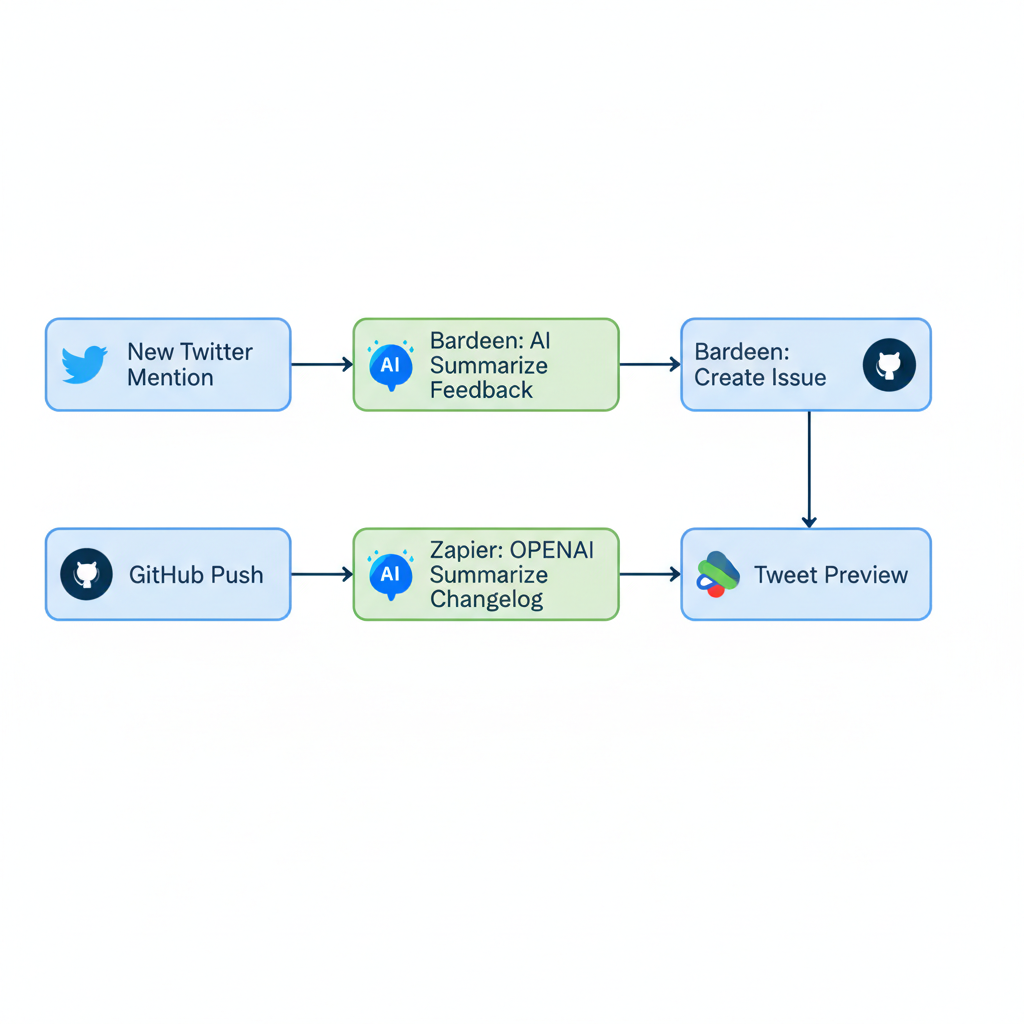
Paired it with a Zapier Zap for updates: GitHub push → OpenAI summarize changelog → Slack me + tweet thread preview. Results? Iterations 30% faster. I shipped v2 in a week, tweeted the setup (got 200 likes), and morale skyrocketed. Imagine your project doing this. Feedback turns into code, publicly.
Pro tip: Test with a dummy repo first. Bardeen's scraper grabbed 95% accurately in my runs.
AI Tools Review: Bardeen vs Zapier vs Make for Developers
Choosing the right tool? Don't guess. Here's the dev-focused breakdown from my side project spins.
| Tool | Ease of Use | Integrations | Cost (Free Tier) | Best For Developers |
|---|---|---|---|---|
| Bardeen | Easiest (5-min setups, natural language) | Browser-focused, AI-first | Free forever | Rapid prototypes, solo hackers |
| Zapier | User-friendly paths | 6,000+ apps, AI Zaps | 100 tasks/month | Multi-app stacks (GitHub + Stripe) |
| Make | Steeper curve, visual flows | Deep logic, custom JS | 1,000 ops/month | Data-heavy projects with branches |
All integrate dev darlings: GitHub webhooks, Notion databases, Airtable for prototypes. Bardeen for speed, Zapier for reach, Make for depth. In my tests, Bardeen won quickest ROI. Swap if your project's a beast.
Challenges Using AI for Work and How Developers Overcome Them
No tool's perfect. Here's how devs tackle the main hurdles:
- Learning curve: Bardeen's English is forgiving, but Zapier's paths confuse newbies. Fix: Hunt templates. Bardeen has 100+ dev ones; Zapier's community shares Zaps daily.
- Reliability: APIs flake (Twitter rate-limits wrecked one playbook). Solution: Error handlers (Zapier's built-in retries) and backups (log to Google Sheets). Test small.
- Costs: Free tiers rock, but scale hits $20-50/month. Optimize: Batch runs, stick to essentials. My trick? Free Notion dashboard tracks usage.
- Debugging: Logs vanish. Counter: Enable verbose logging, incremental tests, like staging deploys. Start simple, layer up. Pain points fade fast.
How to Get Started with AI Automation in Your Side Project Today
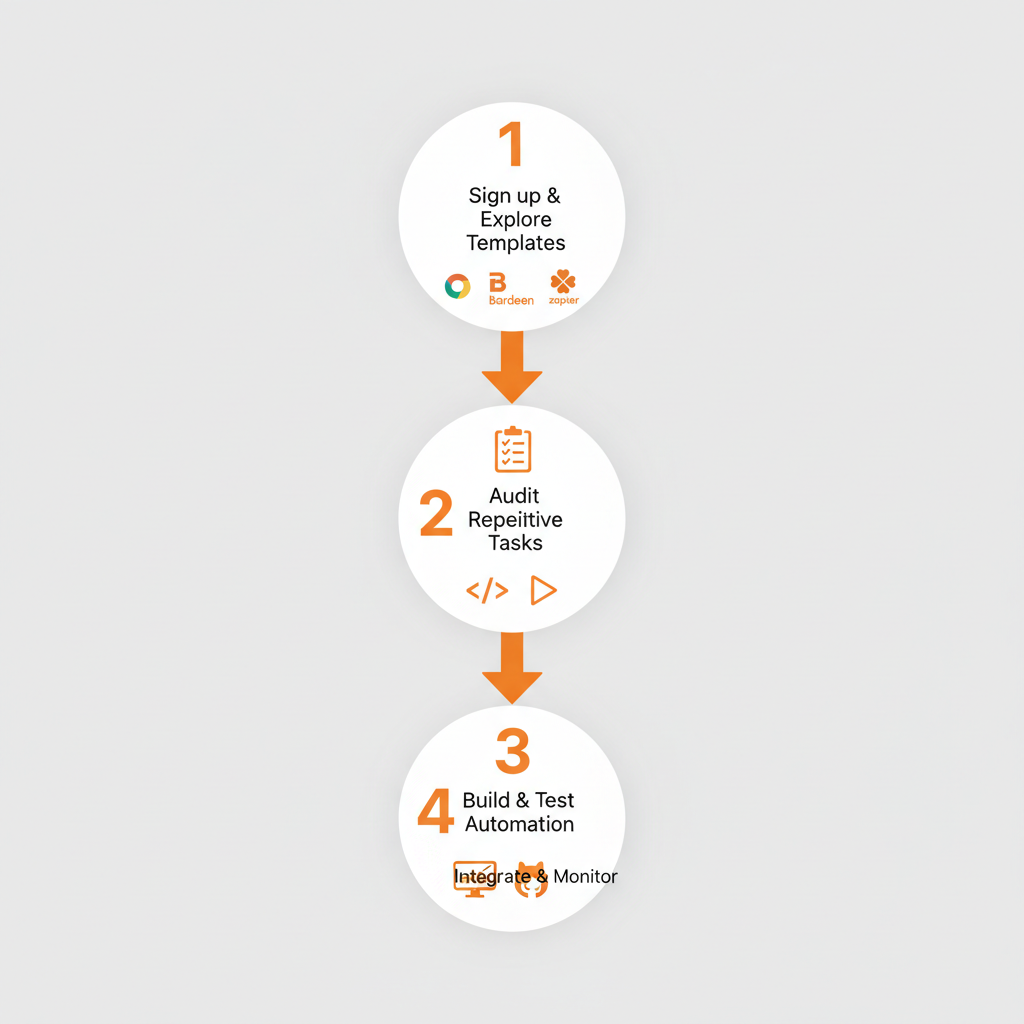
Ready to ship faster? Here's your 4-step blueprint.
- Sign up. Bardeen (Chrome extension, free), Zapier/Make (web, free accounts). Poke templates. Bardeen's "GitHub automation" gallery is gold.
- Audit your project. List repeats: "Manual deploy Slack? Twitter RSS to issues?" Pick one.
- Build and test. Bardeen: Type "When GitHub PR merges, tweet update." Zapier: New issue → AI summarize → Notion. Run dry-fires first.
- Hook your stack (GitHub Actions trigger?), monitor dashboard. Tweak weekly.
Resources: Bardeen docs (bardeen.ai/docs), Zapier University (zapier.com/learn), Make Academy. Join Reddit's r/automation or my Twitter thread on experiments. First win in under 30 minutes guaranteed.
Now you know how to use AI automation tools like Bardeen and Zapier for developer productivity in side projects. From my building in public experiments to your first automation, start today. Boost your AI productivity, ship faster, join efficient devs turning ideas into reality.
Related Articles

Claude Cowork macOS Agent: 30-Day Building in Public AI Experiment Results
Real metrics from running Anthropic’s Claude Cowork daily on macOS for automating developer tasks and side hustle updates.

Using AI Automation to Cut 90% Repetitive Developer Tasks in 2026 Workflows
See how eliminating the first 90% of boring repetitive work with AI automation freed up hours daily for developers focused on high-value coding and side projects.

Building My First Multi-Agent System with Google’s 1-Hour Agentic Engineering Course
Step-by-step notes from following Google’s free agentic course to wire short-term memory, loops, and MCP-style agents for real automation tasks.