
Practical Prompt System That Cut Context Switching Time by 40% for Developers

Why Context Switching Still Kills Developer Productivity
Developers lose a substantial portion of their coding time to context switching. A practical prompt system built around AI for developers can reclaim most of that lost focus without changing your editor or workflow.
The cost shows up in repeated explanations of project state, decisions that must be recalled from memory, and mental models that take minutes to rebuild after even brief interruptions. Those short breaks compound quickly across a workday because each restart pulls attention away from actual code changes. AI tools can serve as persistent project memory instead of adding another layer of distraction when the context is stored and reused rather than recreated.
What Is Prompt Caching in AI Coding Assistants?
Prompt caching stores large, stable blocks of context so they do not need to be resent with every request. This approach reduces both cost and latency by keeping frequently used information available across sessions instead of reprocessing it each time.
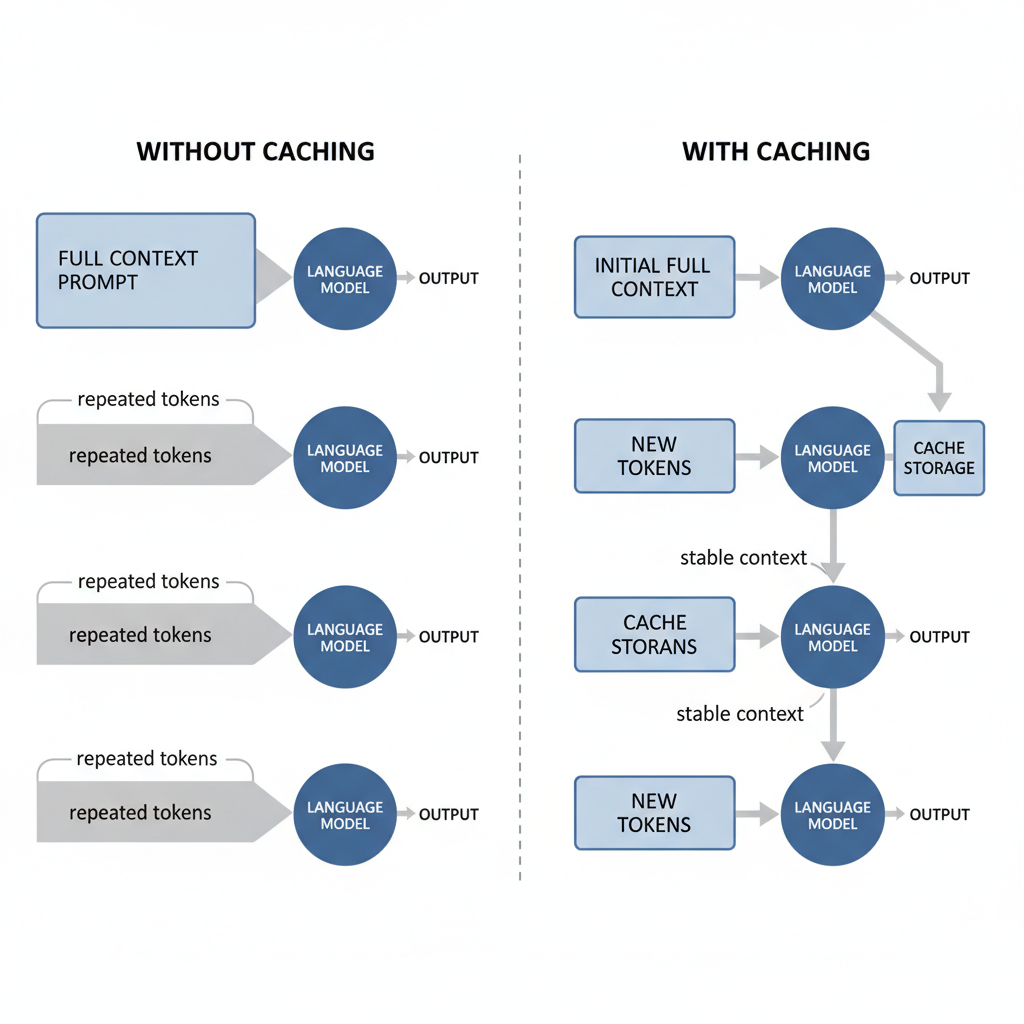
Cursor and Claude implement the feature at file level and conversation level. The minimum length for a cacheable prompt is 1024 tokens in Claude Opus 4.1, and cache lifetimes are offered at 5 minutes or 1 hour. This differs from simple chat history because the cached material survives session resets and can be referenced by later prompts without duplication.
Cache reads are billed at approximately 10% of the standard input rate, while cache creation tokens are charged at the write rate.
Creating a Reusable Prompt Library That Actually Works
A working prompt library contains five core types: architecture, debugging, testing, refactoring, and onboarding. Each prompt references cached project files directly instead of repeating descriptions, which prevents the context from drifting.
Write the prompts to point at specific files or folders that remain stable across sessions. Store the library itself in version control so changes can be tracked and shared. This structured reuse reduces cognitive load by keeping context consistent rather than forcing developers to rebuild it after every interruption.
Project Structure That Keeps Context Alive Across Sessions
Organize projects with a dedicated context folder that holds the main brief file, key architecture notes, and dependency summaries. Name files consistently so the AI can locate them quickly. Maintain a living project brief that the model reads first on each new session.
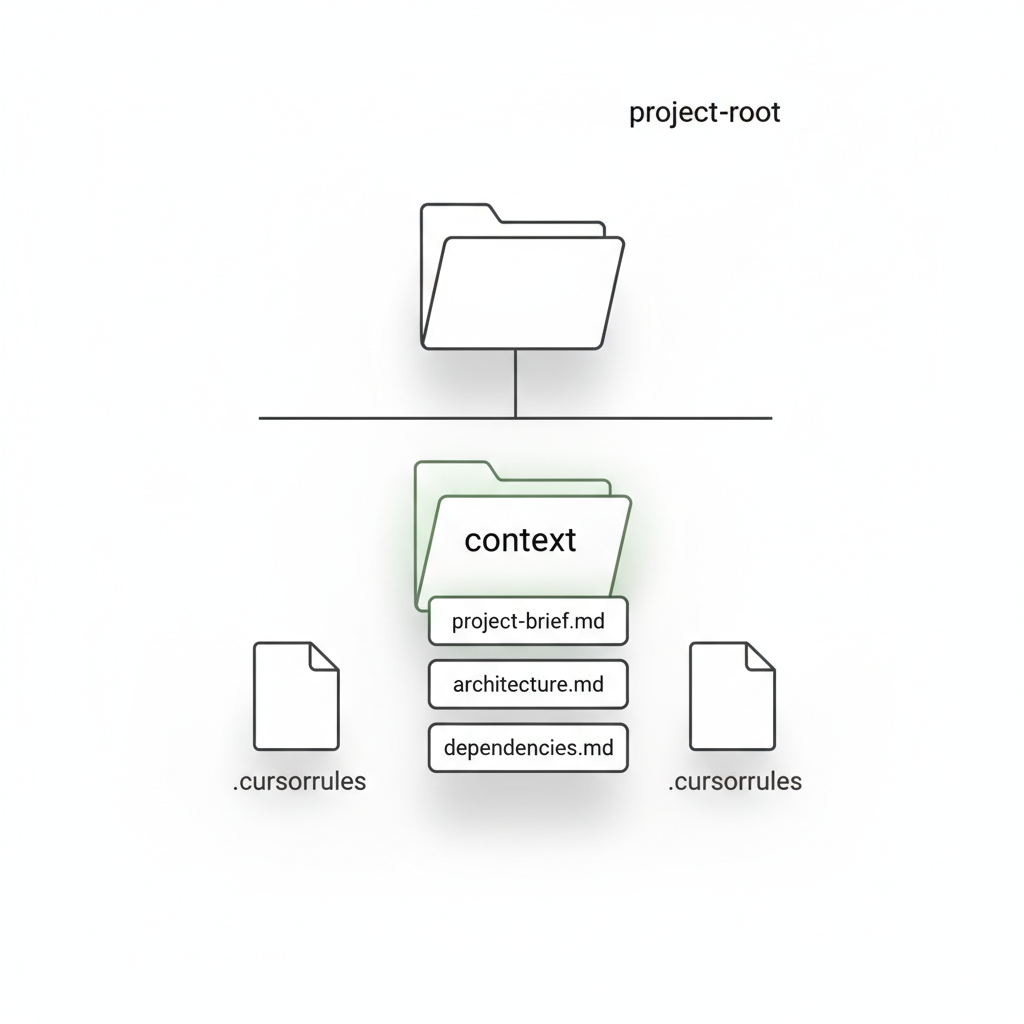
Add a.cursorrules file or equivalent to enforce consistent behavior across tools. Structuring projects this way allows cached tokens to be billed at lower rates, delivering measurable cost savings while preserving the background knowledge needed for accurate responses.
How Leading Teams Use AI Productivity Tools at Scale
Teams at large tech companies have rolled out AI coding assistants across engineering groups and seen clear gains in output because cached prompts carried project context forward without repeated explanations.
Internal rollouts have shown that prompt caching can deliver substantial cost reduction for long-running projects, along with noticeably lower latency. These results demonstrate that organizations can scale the same prompt library approach without proportional increases in token spend.
How to Implement the Prompt System in One Afternoon
Begin in Cursor by creating the context folder and project brief, then add the five core prompt templates as separate files. Seed the cache by opening the main project files so the 1024-token minimum is met and the cache lifetime starts. Switch to Claude and load the same brief plus.cursorrules to confirm both tools reference the stored context.
Run a validation test by asking the model to summarize a recent architectural decision without providing extra details. If the response matches prior context, the cache is active. Repeat the process for one additional task type to verify the prompts retrieve the correct cached blocks.
You now have everything needed to build and maintain a prompt system that keeps context alive, cuts context switching, and improves AI productivity. Start with one project this week and watch the time savings compound as you continue to learn practical AI techniques.
Related Articles
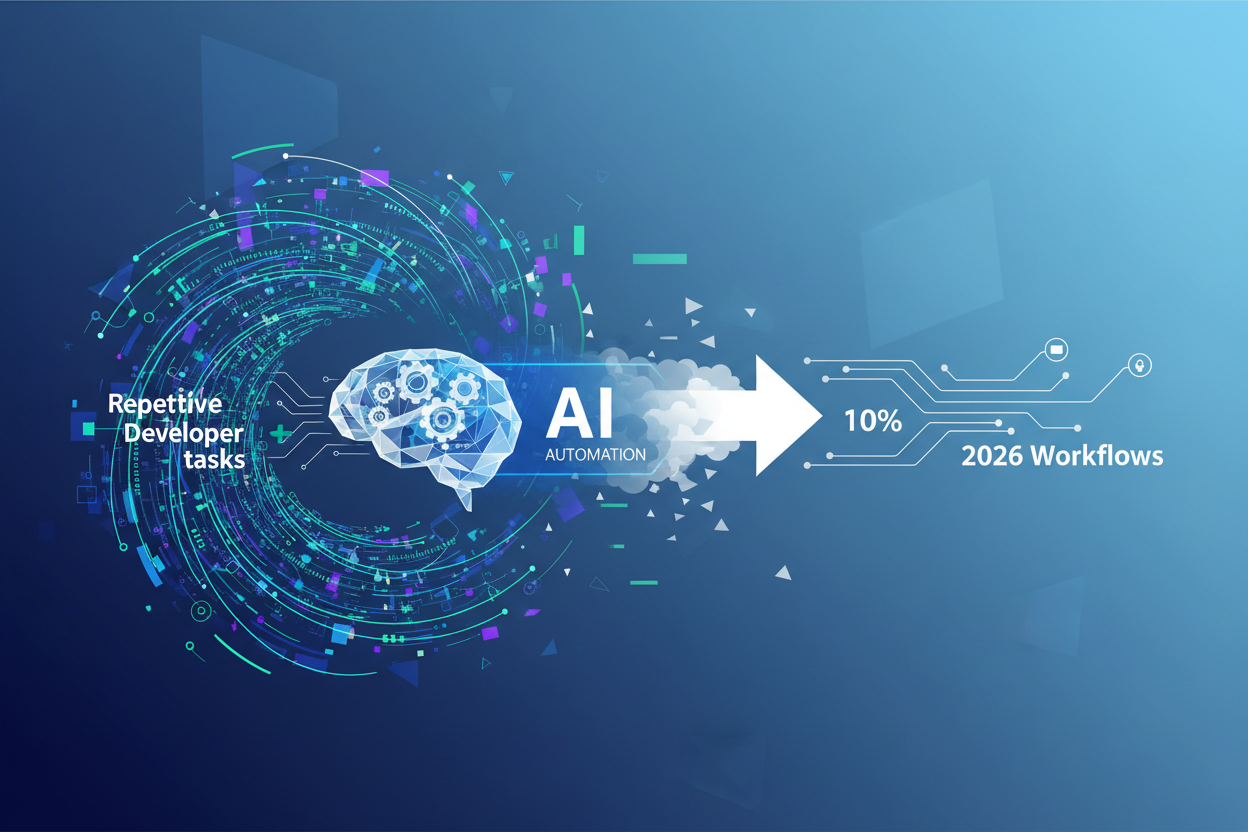
Using AI Automation to Cut 90% Repetitive Developer Tasks in 2026 Workflows
See how eliminating the first 90% of boring repetitive work with AI automation freed up hours daily for developers focused on high-value coding and side projects.

Building My First Multi-Agent System with Google’s 1-Hour Agentic Engineering Course
Step-by-step notes from following Google’s free agentic course to wire short-term memory, loops, and MCP-style agents for real automation tasks.
Haiku vs Opus for Real Developer Tasks: 5-Run Coding Benchmarks That Surprised Me
Detailed results comparing smaller models like Haiku against Opus on actual merged bug fixes and daily coding work for developers.