AI Productivity Paradox Solved: Why AI Didn't Boost My Output and the Workflow Fix
Exploring the AI productivity paradox from Twitter debates—practical fixes for broken workflows to unlock real ai productivity gains in daily work.

AI Productivity Paradox Solved: Why AI Didn't Boost My Output and the Workflow Fix
I jumped into AI tools like ChatGPT and automation apps. Expected my productivity to skyrocket. Output stagnated instead. Hours lost tweaking prompts. Zero gains. Sound familiar?
If you've hit the AI productivity paradox, you're not alone. Tons of knowledge workers fall into this trap when they grab AI for work without thinking twice.
By the end, you'll spot workflow flaws killing your AI productivity. Pinpoint 'workslop' in your processes. Grab a step-by-step guide to align AI automation with your actual work. Expect 2-3x output gains. No hype. Just results.
What Is the AI Productivity Paradox?
Ever promise yourself that new AI tool would change everything? Weeks later, you're staring at the same to-do list? That's the paradox.
AI promises massive gains. Faster writing. Smarter analysis. Automated drudgery. But output stays flat for most. Or dips. Why? Workflows aren't ready. AI gets bolted on without fixing the human side first.
Studies confirm it. McKinsey survey: 70% of users see no real boost. Gartner: knowledge workers spend more time fiddling with AI than they save. Frustrating, right? You're not imagining it. The paradox hits when shiny tools meet messy processes. Let's break it down.
Why Isn't AI Boosting Your Productivity? Common Pitfalls
You grab ChatGPT for emails. Zapier for reports. Feels productive at first. Then... Crickets. Output doesn't budge. Truth? It's not the AI. It's how you're using it for AI productivity.
Common pitfalls:
- Context switching: Bounce between apps. Slack ping. AI prompt. Browser tab. Focus shreds. Studies show 23 minutes to refocus per switch. Five daily AI hops? Hours gone.
- Crappy prompts without process tweaks: Ask 'write a blog post.' Get garbage. Tweak endlessly. No upfront workflow map? Optimizing in the dark.
- Workslop: My term for sloppy handoffs between you and AI. Output half-baked. Fix manually. Loop repeats. MIT experiment: 20% cognitive tax. AI should lighten the load. Bad workflows pile it on.
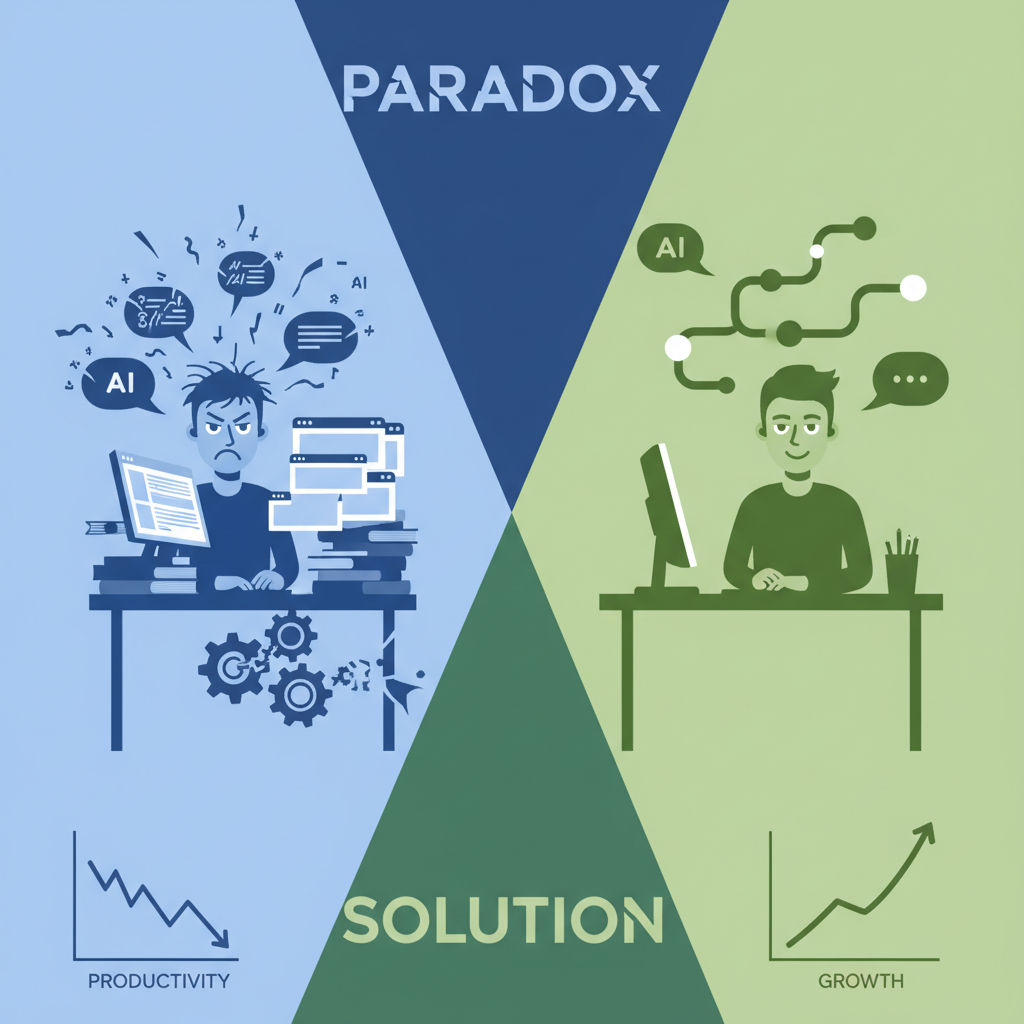
Aha moment? Paradox vanishes when you align processes first. AI amplifies good workflows. Sabotages bad ones.
How to Identify 'Workslop' in Your AI Workflow
Workslop sneaks up. Feels normal until you audit. Ready to diagnose yours?
Signs of workslop:
- Repetitive fixes. AI spits code. You edit bugs daily. Tweaks eat time.
- AI slower than hands-on. Prompting a summary: 15 minutes. Skimming doc: 10. Red flag.
- Wild inconsistency. Same prompt, different junk. No templates? Chaos.
Grab a notebook. Run this self-audit:
- Track one day: Time on AI tasks vs. Value (words written, decisions made).
- Compare: AI version vs. Old manual.
- Score: Saves 30%+ time? Consistent? No? Workslop alert.
Hit home? You're armed to spot leaks. Next, plug them.
Step-by-Step Workflow Fix: Align AI for True Productivity
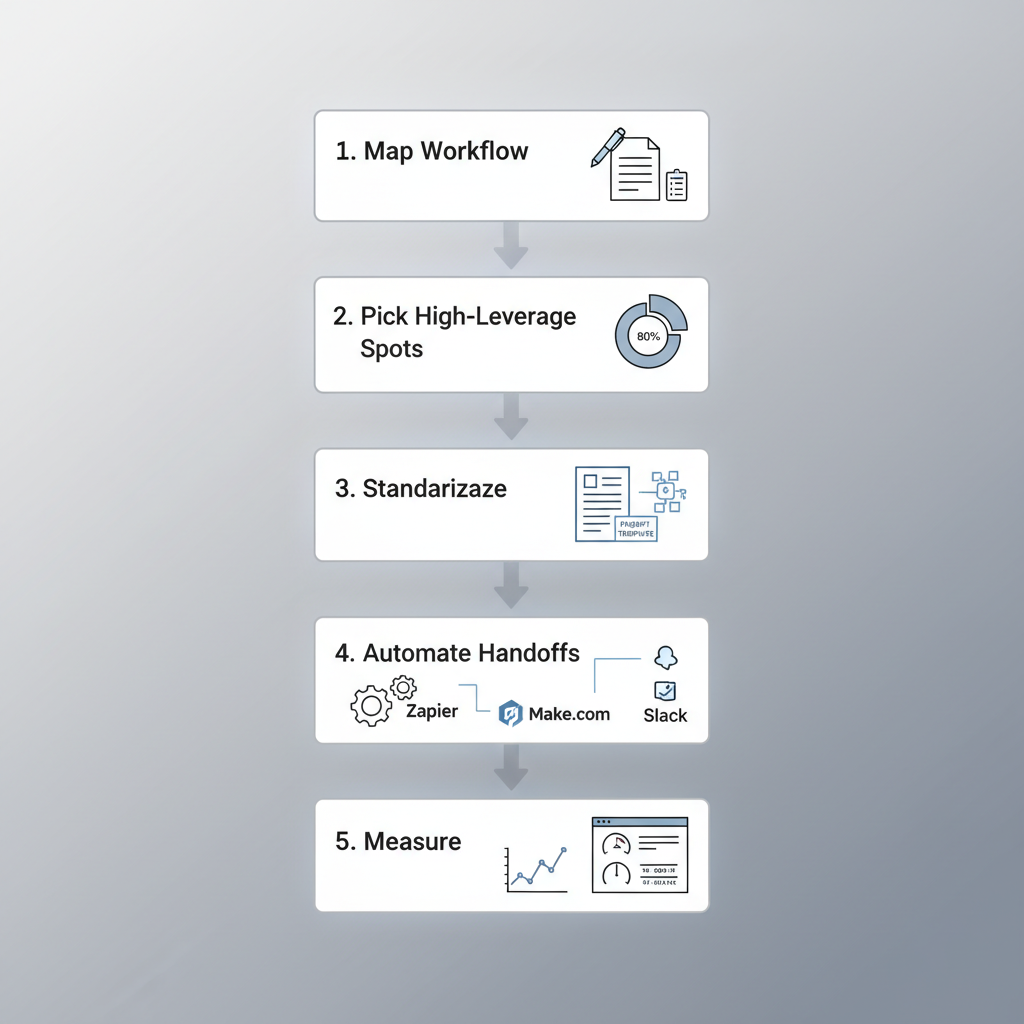
Theory's fine. Action wins. Here's your blueprint. Five steps. Proven on my desk and clients'.
- Map your workflow. Pen and paper. List every task end-to-end. Content creation: Research. Outline. Draft. Edit. Publish. Time each.
- Pick high-leverage AI spots. 80/20 rule. 20% effort for 80% value? Research summaries. Skip creative brainstorming (yet).
- Standardize. Build prompt templates. 'Summarize [topic] in 300 words, bullet points, sources cited.' Output: Google Doc section. Repeatable magic.
- Automate handoffs. Zapier or Make.com. AI summary → Notion page → Slack alert. No copy-paste hell.
- Measure. KPIs: Time per task before/after. Output volume. Error rate. Weekly: Iterate flops.
Bonus: Laser on 80/20 tasks. AI drafts? Yes. Strategy calls? Human only.
Follow this. AI stops fighting you. It pulls you forward.
Real-World Examples: AI Automation Success Stories
Talk is cheap. Results prove it.
Sarah, content creator. Pre-fix: 2 posts/week. AI drafts messy. Endless edits. Post-fix: Mapped flow. AI for research + outline templates. Batched prompts weekly. Now 5 posts. 60% less drafting time.
Marketer Alex: Reports ate 15 hours/week. Pitfalls everywhere. Fixed with Zapier: Data pull → AI analysis → formatted sheet → email. Freed 10 hours. Reinvested in campaigns.
Before/after:
| Task | Before (hours/week) | After (hours/week) | Gain |
|---|---|---|---|
| Content Draft | 10 | 4 | 60% |
| Reports | 15 | 5 | 67% |
| Total Time | 25 | 9 | 64% |
Output: 2.5x
Inspired? Your turn.
Best Tools and Tips for Using AI for Work Effectively
Gear up. ChatGPT Plus for smarts. Notion for templates (AI blocks rock). Make.com over Zapier for complex automations, cheaper too.
Tips:
- Weekly reviews. Sunday, 15 minutes. Audit last week's AI tasks. Tweak one thing.
- AI SOPs. Doc with prompts, tools, expected outputs. Team gold.
- Start tiny. One task. Newsletter summary. Nail it. Scale. Momentum builds.
These are workflow glue.
The AI productivity paradox ends when workflows lead AI, not chase it. Fix your workslop. Supercharge AI automation. Reclaim hours for what matters. Start with one step today. Your future self (and output) will thank you. Share your wins below!
Related Articles

Building My First Multi-Agent System with Google’s 1-Hour Agentic Engineering Course
Haiku vs Opus for Real Developer Tasks: 5-Run Coding Benchmarks That Surprised Me
Turning a $599 Mac Mini into a Portable AI Workstation for On-the-Go Automation